AI Website Fixer is an all-in-one AI-powered WordPress optimization plugin that scans, fixes, and improves your website automatically — without technical knowledge.
It combines SEO, performance, content optimization, and analytics into one lightweight plugin.
Why AI Website Fixer Is the Best WordPress Plugin
Unlike traditional SEO plugins that only show errors, AI Website Fixer actually fixes them using smart AI automation.
✔ No complicated setup ✔ No coding required ✔ Real-time insights ✔ Works for posts & pages ✔ Built for speed & scalability
Core Features
AI-Powered SEO Optimization
AI-generated meta titles & descriptions
“Improve SEO with AI” one-click optimization
Focus keyword analysis & suggestions
Keyword density calculation with natural AI improvement tips
Undo last AI SEO changes safely
On-Page SEO Tools
Meta title & meta description editor
Focus keyword management
Live SEO score (0–100)
Keyword usage warnings
Before / After SEO comparison
Live character & pixel counter
Live preview updates while typing
Google SERP preview (desktop & mobile)
📊 Built-In Analytics (No External Tools)
Native post & page view counter
View count displayed in editor & admin list
SEO performance insights per post
Ready for future Google Analytics integration
Website Health & Auto Fixer
Broken link detection
Missing image ALT text detection
SEO issue scanner
Plugin conflict detection
Slow page identification
One-click fixes & AI auto-repair
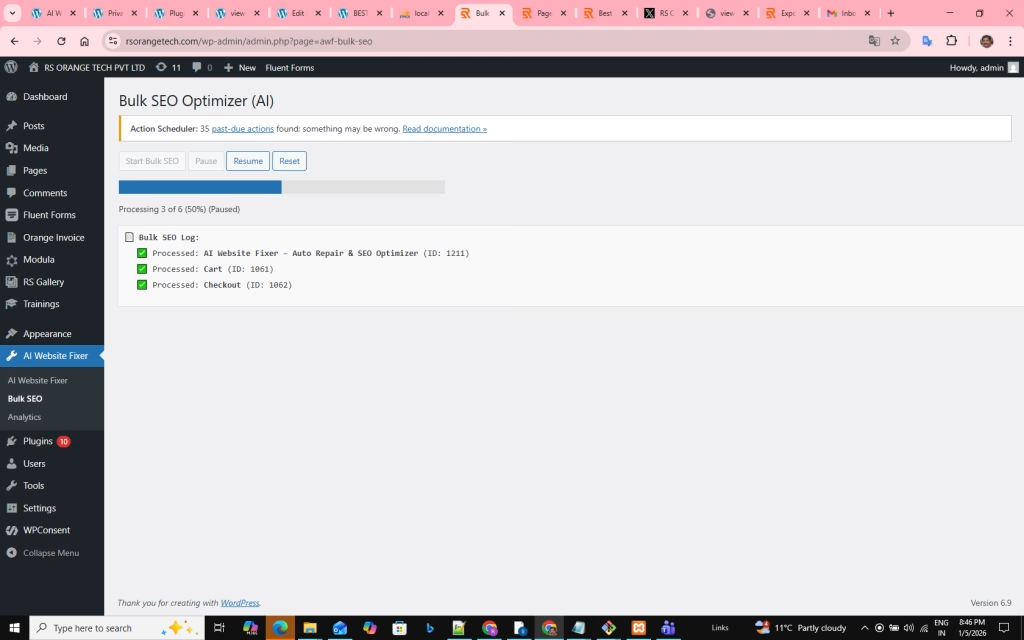
Bulk SEO Management
Bulk update meta titles & descriptions
Real-time progress bar
Pause / resume processing
Live processing log
Reset & undo options
Professional Admin UI
Clean, modern dashboard
Post-level analytics panels
Easy-to-understand visual indicators
Beginner-friendly layout (Yoast-like experience)
Safe & Lightweight
No data leaks
No frontend JS injection
Admin-only AI operations
Optimized database usage
Fully WordPress standards compliant
Who Is This Plugin For?
✔ Bloggers ✔ Business websites ✔ SEO agencies ✔ Developers ✔ Beginners & professionals
If you want better SEO, higher rankings, and automated fixes, this plugin is made for you.
Why Choose AI Website Fixer Over Others?
Feature
AI Website Fixer
Other Plugins
AI Auto Fix
✅ Yes
❌ No
Built-in Analytics
✅ Yes
❌ No
Bulk AI SEO
✅ Yes
❌ Limited
Undo AI Changes
✅ Yes
❌ No
Lightweight
✅ Yes
❌ Heavy
Beginner Friendly
✅ Yes
❌ Complex
What’s Coming Next
Google Analytics (GA4) integration
Google Search Console insights
AI traffic-based recommendations
Ranking tracking
Advanced performance optimization
Final Words
AI Website Fixer is not just another SEO plugin. It is a smart website assistant that helps your WordPress site grow automatically.
Contains information related to marketing campaigns of the user. These are shared with Google AdWords / Google Ads when the Google Ads and Google Analytics accounts are linked together.
90 days
__utma
ID used to identify users and sessions
2 years after last activity
__utmt
Used to monitor number of Google Analytics server requests
10 minutes
__utmb
Used to distinguish new sessions and visits. This cookie is set when the GA.js javascript library is loaded and there is no existing __utmb cookie. The cookie is updated every time data is sent to the Google Analytics server.
30 minutes after last activity
__utmc
Used only with old Urchin versions of Google Analytics and not with GA.js. Was used to distinguish between new sessions and visits at the end of a session.
End of session (browser)
__utmz
Contains information about the traffic source or campaign that directed user to the website. The cookie is set when the GA.js javascript is loaded and updated when data is sent to the Google Anaytics server
6 months after last activity
__utmv
Contains custom information set by the web developer via the _setCustomVar method in Google Analytics. This cookie is updated every time new data is sent to the Google Analytics server.
2 years after last activity
__utmx
Used to determine whether a user is included in an A / B or Multivariate test.
18 months
_ga
ID used to identify users
2 years
_gali
Used by Google Analytics to determine which links on a page are being clicked
30 seconds
_ga_
ID used to identify users
2 years
_gid
ID used to identify users for 24 hours after last activity
24 hours
_gat
Used to monitor number of Google Analytics server requests when using Google Tag Manager
1 minute
Marketing cookies are used to follow visitors to websites. The intention is to show ads that are relevant and engaging to the individual user.
Google Maps is a web mapping service providing satellite imagery, real-time navigation, and location-based information.